Can you really earn decent money from paid micro task websites in 2026?
Yes, if you choose platforms based on how you work. The useful question is not which site pays the most on paper. It is which site fits your device, your available time, your country, and how quickly you need to cash out.
That distinction matters because microtasks are a mix of very different job types. Some work well on a phone for ten-minute gaps in your day. Others are better on a desktop, need concentration, or depend on passing screening tests before the better-paying work appears. Payout methods matter too. In 2026, that part is not a side detail. A platform can look great until you find out withdrawals are slow in your region or the method you need is no longer supported.
Analysts at Mordor Intelligence expect the micro-tasking market to keep growing through 2026 and beyond. Growth helps, but it does not remove the usual problems workers run into. Task volume can swing by country, some platforms age well and some clearly decline, and the highest advertised rates often go to a small slice of experienced users.
So set expectations correctly. Microtask sites are usually strongest as side income. They can cover a bill, build a small weekly buffer, or make downtime more useful. They rarely act like a stable full-time job, and treating them that way usually leads to frustration.
The practical approach is a portfolio strategy.
Instead of relying on one site, combine two or three that serve different purposes. You might use one mobile-first app for quick offers, one research platform for better hourly rates, and one fallback site for filler work when your main options are quiet. That is the angle of this guide. If you want a broader comparison of platforms for online tasks for money, start there. Here, the focus is choosing the right mix for consistent earnings, with special attention to payout options, platform health, and the trade-offs beginners usually miss.
1. Klink Finance
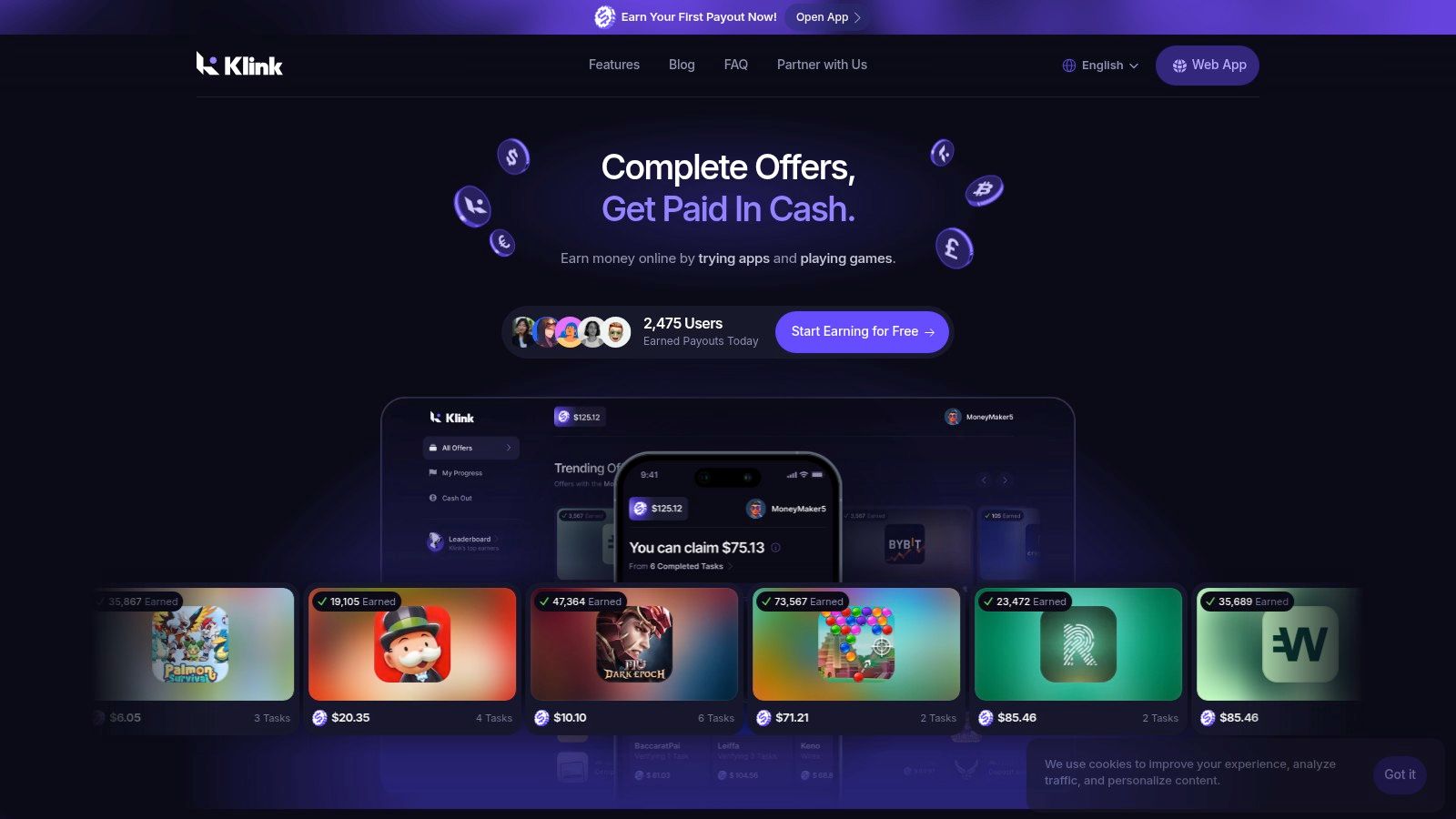
If you want a mobile-first option that feels built for short sessions, Klink Finance is a strong starting point. It pays users for trying apps, playing games, answering surveys, and completing social quests, which makes it less narrow than classic data-labeling platforms.
Klink Finance is a global rewards platform. It lets users earn money online through simple partner-backed tasks and then withdraw in different fiat currencies and digital assets. For beginners, the main appeal is that it doesn't expect you to learn a complicated worker dashboard before you can start.
Why Klink works well for beginners
A lot of microtask sites assume you're sitting at a desktop hunting through listings. Klink is better suited to people who want short, clear offers they can complete from a phone. That's useful if your spare time comes in small pockets instead of long work blocks.
It also helps that Klink shows real-time tracking of actions and rewards. That sounds like a small feature, but it reduces one of the biggest frustrations in this category, which is wondering whether a task tracked correctly.
Practical rule: If you're new, start on a platform where it's easy to see what you did, what tracked, and what you can withdraw. That removes a lot of beginner mistakes.
Klink also supports flexible withdrawals in currencies such as USD, EUR, and GBP, along with BTC, ETH, and SOL. That flexibility matters for a global audience because payout access is often where good platforms become annoying.
What you can expect
The task mix is broad. App installs, game offers, surveys, and social actions create more variety than you get on a platform focused only on annotation or only on academic studies. That makes Klink useful as the "filler work" part of a microtask portfolio.
The trade-off is that earnings can vary a lot by country, current campaigns, and how active you are. That's normal for offer-based platforms. If you're in a market with more partner campaigns, you'll usually see more choice.
For people comparing options, Klink fits best when you want:
Fast onboarding: You can get started without a long qualification process.
Short-session earning: Good for phone use, commute time, and casual evening sessions.
Clear tracking: Helpful if you've been burned by vague reward systems elsewhere.
Flexible withdrawals: Useful if your preferred payout method is limited on other sites.
If you want more context on similar options, Klink also has a useful guide to platforms for online tasks for money.
Best use case and main downside
Klink is best as a flexible daily-earner platform, not as your only source of microtask income. Use it when you want quick task variety and easier access from your phone.
The downside is the same one that affects most offer-driven platforms. Availability depends on region and live campaigns. Some users will have a busy dashboard. Others will need to check back more often.
That doesn't make it unreliable. It just means you should treat it as one piece of your stack. In practice, Klink works well paired with a research platform for higher-value studies and a classic task marketplace for overflow work.
2. Prolific

Prolific feels different from most microtask sites because it is different. It leans toward research studies run by universities, nonprofits, and product teams, not endless click-work.
That changes the experience right away. You usually know the estimated time, the approval window, and what the study involves before you commit. Beginners often underestimate how valuable that clarity is.
Why people like it
The biggest advantage is pay quality relative to time. Prolific is known for being more structured and more transparent than many general-purpose task platforms. If you dislike low-value filler tasks, this is one of the cleaner options.
It also keeps things simple on payouts. Cash only is easier to track than points, gift cards, or platform credits. If you care about straightforward records, that's a plus.
For anyone who already likes surveys but wants better options than random reward apps, Klink's guide to survey apps that pay is worth reading alongside Prolific.
What doesn't work so well
The frustration is volume. Prolific can be excellent when studies are available, but it isn't the kind of platform where everyone sees a constant stream of work all day. Your demographics and the time you log in matter.
That's why I don't recommend using it as your only platform. Prolific is great for quality, not guaranteed volume.
The best way to use Prolific is to treat it like a high-value alert system. Check in regularly, grab the studies that fit, and move on.
Who should use it
Prolific makes the most sense if you want thoughtful tasks over random clicks. It's a good fit for students, remote workers with short breaks between meetings, and anyone who doesn't mind waiting for better opportunities instead of doing the lowest-paying jobs available.
Use Prolific when you want:
Better study transparency: You can usually see key details before joining.
Cash payouts only: Cleaner than points-based systems.
Less clutter: The platform is more focused than many rewards apps.
Skip it as your main choice if you need constant work volume every day. It's better as the premium layer in your portfolio.
3. Amazon Mechanical Turk
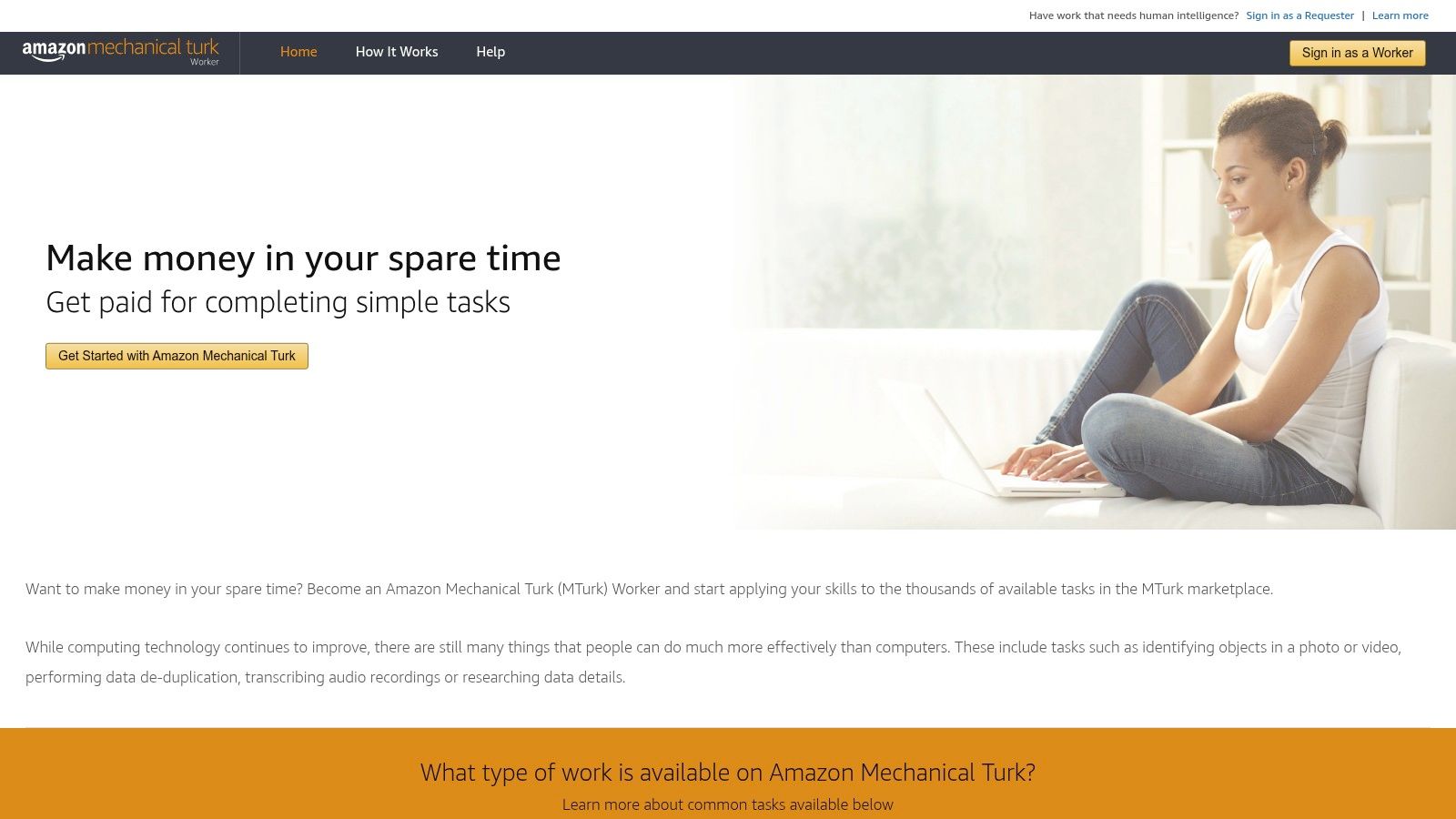
Amazon Mechanical Turk is still one of the names people recognize first. It has a huge range of HITs, including surveys, data work, moderation tasks, and labeling jobs.
That size is both the reason to use it and the reason to be careful. There is almost always something to do. There is not always something worth doing.
The real MTurk trade-off
MTurk rewards selection skill. The platform's own broad reputation comes from volume, but your actual results depend on whether you can spot good work quickly and avoid low-value tasks.
The pay spread in this category is real. According to Elite Wealth Plan's roundup of highest-paying micro-task websites, MTurk can reach an effective rate of USD 11.75/hour through strategic task selection and browser automation, while broader MTurk earnings data cited in verified research shows a median around USD 2/hour, with skilled workers reaching USD 6 to USD 12/hour. That gap tells you everything. The platform doesn't pay well by default. It pays better when you learn how to filter.
What beginners get wrong
Most new workers accept too many weak HITs because they focus on having work, not on having decent work. That's the fastest way to burn time.
Your first goal on MTurk shouldn't be "do more." It should be "reject more bad tasks." Once you think that way, the platform becomes more useful.
If you're exploring this style of work, Klink's article on how to make money completing tasks covers the mindset well.
Best use case
MTurk works for people who want constant variety and don't mind screening hard before they commit. It's a good fit if you like desktop-based work and can build routines around task filtering.
Its strong points are straightforward:
High task volume: There's usually activity across categories.
Flexible sessions: You can work in short bursts or longer blocks.
Bonus potential: Some requesters offer bonuses for speed or quality.
Its weak points are just as clear:
Pay quality varies a lot: A busy dashboard doesn't mean good earnings.
Account risk matters: You need to follow platform rules carefully and keep your records.
Interface discipline is required: If you click into everything, you'll waste time.
MTurk is not beginner-friendly in the same way Klink or Prolific is. But if you learn its rhythm, it can still earn a place in your 2026 rotation.
4. Clickworker including UHRS access
Clickworker sits in a useful middle ground. It isn't as casual as an offer app, and it isn't as chaotic as a giant open marketplace. For many users, the main draw is access to UHRS after onboarding and qualification.
That matters because UHRS tasks can give you steadier batches when they are available. Search relevance and similar judging work suit people who are consistent and detail-focused.
Why payout structure matters here
Clickworker is one of the better examples of why payout terms matter as much as pay rates. According to EarnLab's 2026 microtask platform comparison, Clickworker offers weekly PayPal payouts with a $5 minimum and monthly bank transfers with a $10 minimum, while many guides fail to explain those differences clearly.
That kind of detail changes whether a platform fits your life. Weekly PayPal is one thing. Monthly bank transfer is another. If you need faster access to smaller amounts, those aren't interchangeable.
Cash-flow check: Before you join any platform, ask two questions. How fast can I withdraw, and what's the minimum balance I need first?
Where Clickworker fits best
Clickworker works well for people who want a more traditional microtask setup with some structure. You may get a mix of app-based and desktop tasks, plus qualification tests that can provide access to more options over time.
Klink's article on getting paid for app testing is a helpful complement if you're trying to compare app-based work with annotation-style work.
What I like about Clickworker is that it doesn't pretend every task is equal. You often need to qualify, and quality checks matter. That's annoying if you want instant access to everything, but it's also part of why the platform can feel more organized.
Main pros and cons
Clickworker makes sense when you want:
Global accessibility: A broad range of users can join.
A mix of task types: Not limited to one format.
UHRS upside: Useful when that work is flowing.
The downside is simple. UHRS availability can swing by market and project cycle, and some earnings have a delay because of quality review periods. That's normal for this kind of work, but it means Clickworker is better for planned side income than urgent same-day cash needs.
5. Toloka
Toloka is one of the better options for people who want short, mobile-friendly AI and data tasks. Think image checks, audio tasks, content review, and small batches you can finish in spare moments.
That mobile angle matters more than people think. A lot of platforms claim to be flexible, but they're really only comfortable on desktop. Toloka is better if your earning time happens on the move.
What Toloka does well
Toloka is good at micro-batches. You can often drop in, complete a handful of short tasks, and leave without feeling like you need a long session to make the effort worth it.
The platform also has active payout documentation and clear task quality controls, which makes it easier to understand what you're doing and how earnings move through the system.
This is the kind of platform that works best when you're consistent. Not intense, just consistent. Small repeat sessions usually beat one long burst followed by silence.
Where it falls short
The limits are familiar. Task volume can rise and fall with active projects, and payout options depend on your country. That's not unusual, but it means your experience may look very different from someone else's.
If you're in a region with stronger availability, Toloka can become a useful daily backup. If not, it may stay in your rotation as an occasional check-in platform.
Best way to use it
Toloka shines as a spare-moments platform. Use it for short sessions when you're on your phone and don't want to commit to a long study or a more demanding annotation workflow.
A good use case looks like this:
Phone-first earning: Better suited to mobile use than many classic work dashboards.
Frequent short tasks: Helpful if you only have a few minutes at a time.
Simple routine building: Easy to check, complete a batch, and move on.
Toloka is less ideal if your main priority is one stable, predictable daily workload. It's a flexible option, not a guaranteed stream.
6. Remotasks
Remotasks is for people willing to trade simplicity for skill-building. It focuses on AI training work such as image annotation, text tasks, audio work, and more specialized labeling categories.
That makes it different from the quick-click end of the market. You usually need training, and some tasks require passing certifications before you can access them.
Why some users do better here
Remotasks can reward patience. If you complete the training and keep quality high, you may qualify for better work than what's available on pure beginner platforms. That won't appeal to everyone, but it does create a path beyond the lowest-value task pool.
Its weekly payout schedule is also practical. Predictable timing matters when you're trying to fit microtask income into a real monthly budget.
The catch
The catch is that work availability can be inconsistent by geography and project cycle. Some users also report mixed experiences with task volume and support responsiveness, which is common on platforms tied to large project flows.
So Remotasks isn't the right pick if you hate uncertainty. It is the right pick if you're willing to train first, work carefully, and wait for better-fitting projects.
If you want to move beyond simple taps and surveys, platforms with training gates can be worth the effort. Just don't expect instant earnings on day one.
Who should choose Remotasks
Remotasks suits people who want more structured work and are comfortable learning platform rules before they earn much. It's stronger for users who like process, quality feedback, and task systems that improve with practice.
Choose it for:
Training-based progression: Better if you want a skill ladder.
Weekly payouts: Easier to plan around than vague timing.
Specialized task access: Useful if basic microtasks feel too low-value.
Skip it if you only want easy phone tasks with no setup. That's not where Remotasks is strongest.
7. Microworkers
Microworkers is the classic "lots of tiny jobs" platform. You'll see sign-ups, app tests, social actions, comment checks, and other short tasks that are easy to dip into without a long setup.
That variety is the reason people stay with it. It can fill gaps when your other platforms are quiet.
The payout issue most guides bury
Microworkers is also a good reminder that payout thresholds matter. Verified research notes that Microworkers requires users to reach at least $20 before withdrawal because of transaction fees, and that detail often gets buried in platform comparisons instead of being made clear upfront in earning guides.
That doesn't make the site bad. It just changes how you should use it. If you want instant small withdrawals, this is not your best first choice. If you're okay building up a balance over time, it's more workable.
In the broader side-hustle picture, 36% of Americans engage in side hustles averaging $530 monthly, and the global side hustle economy was valued at $556.7 billion in 2024 with projected growth to $2.15 trillion by 2033. Microworkers fits that world well as small, flexible filler work rather than a primary income stream.
Best role in your portfolio
Microworkers works best as a backup layer. Use it when you want variety and don't mind sorting carefully through campaigns.
Its strengths are practical:
Short task variety: Good for filling dead time.
Global reach: Useful for users in many countries.
Long platform history: It has staying power in this category.
Its weaknesses are just as practical:
Threshold friction: You may wait longer to cash out.
Campaign quality varies: Some tasks are worth it, some aren't.
Careful selection matters: Rushing through listings can lead to poor returns.
Microworkers isn't flashy, but that's part of its appeal. It remains useful when you treat it as overflow work, not as the center of your strategy.
Paid Microtask Platforms 2026, 7-Way Comparison
Platform | Implementation complexity | Resource requirements | Expected outcomes | Ideal use cases | Key advantages |
|---|---|---|---|---|---|
Klink Finance | Low, instant signup, simple onboarding | Web/mobile, internet; wallet/bank for multi-currency withdrawals | Modest passive income for casual users (~$100+/mo reported); higher for active users | Side-hustlers, students, app testers, mobile gamers | Multi-currency payouts (fiat + crypto); real-time tracking; gamified offers; curated brand campaigns |
Prolific | Low–Moderate, identity checks and study qualifications | Desktop/mobile, PayPal (Hyperwallet) for cash payouts | Typically higher effective hourly rates (policy ≥ $8/hr) but variable task volume | Participants seeking fair-pay research studies and predictable hourly rates | Enforced fair-pay policy; transparent study times; cash-only payments |
Amazon Mechanical Turk (MTurk) | Moderate, understand HIT rules, requester approvals | Desktop/mobile, US/region payment options (bank/Amazon/Hyperwallet) | Highly variable; some high-pay HITs but many low-paying tasks | Flexible short sessions for workers seeking large task volume | Massive task variety and volume; frequent new HITs; requester bonus capability |
Clickworker (incl. UHRS) | Moderate, qualification tests and UHRS onboarding | Desktop/mobile; region-dependent payout methods; UHRS may require extra setup | Steady small earnings; UHRS can boost volume when available | Workers wanting regular microtasks and access to UHRS search tasks | Regular weekly payouts; broad global access; UHRS for specialized tasks |
Toloka | Low–Moderate, easy signup; mobile-first task flows | Mobile/desktop apps, region-specific withdrawal (e.g., Payoneer) | Frequent small earnings from micro-batches; variable by project | Quick mobile sessions and short annotation tasks for spare time | Mobile-friendly micro-batches; strong tooling and payout docs; frequent short tasks |
Remotasks | Moderate, structured training/certifications required for advanced work | Desktop, training time, PayPal/AirTM for weekly payouts | Potentially higher rates after certification; weekly pay schedule | Workers targeting higher-paying annotation (3D/LiDAR) after training | Structured training and certifications; weekly payouts; QA feedback loops |
Microworkers | Low, straightforward signup and many tiny tasks | Desktop/mobile, multiple withdrawal options (varies by country) | Variable low-to-moderate earnings; good for filler tasks | Anyone seeking very short tasks and flexible micro-jobs | Wide variety of quick tasks; long-standing global platform; easy entry |
How to Maximize Your Micro Task Earnings in 2026
The biggest mistake people make with paid micro task websites 2026 is treating them like a single job board. That usually leads to frustration. One site is slow this week, another has a high withdrawal minimum, and a third has better rates but less volume. The smarter move is to build a small portfolio.
A practical setup is simple. Use one platform for quick mobile tasks, one for higher-quality studies, and one for classic marketplace overflow. For example, Klink Finance can handle short app, game, survey, or social tasks during the day, while Prolific can be your evening check-in for better-structured studies. If both are quiet, a platform like Clickworker, MTurk, or Microworkers can fill the gap.
Track effective hourly rate, not headline pay
Per-task pay is only part of the story. The true number that matters is your effective hourly rate. That means total earnings divided by the actual time you spent, including screening, waiting, qualification steps, and rejected attempts.
A "higher-paying" task can still be worse if it takes too long to qualify or pays slowly. A smaller task with cleaner tracking and faster completion can beat it.
Keep a basic note on three things:
Platform used: So you can spot which site is really worth your time.
Time spent: Include setup, waiting, and failed attempts.
Cashout status: Note when earnings become withdrawable, not just when they appear.
After a couple of weeks, patterns become obvious. Some sites are good for speed. Some are good for value. Some only look good until you thoroughly track them.
Match platforms to your real goal
Your best site depends on what you're trying to solve.
If you want fast, flexible phone-based earning, use a platform that specializes in short offers and clear tracking. If you want fewer tasks but stronger value, pick research-first platforms. If you want more total volume, add one of the classic task marketplaces and learn to filter aggressively.
Don't copy someone else's stack without thinking about your own habits. A desktop-heavy worker with long evening sessions should choose differently from a student fitting tasks between classes.
Best habit: Build around your actual schedule, not your ideal schedule. The platform you consistently use beats the one you keep meaning to use.
Watch payout timing as closely as pay
This is the issue most beginner guides skip. Payment reliability and withdrawal timing can matter more than task rates, especially if you're using microtasks for weekly breathing room.
Verified 2026 research highlights that some platforms have meaningful payout delays, while others offer faster schedules or lower withdrawal minimums depending on the method you choose. That's why "how much does it pay?" is never enough on its own. You also need to know when that money becomes usable.
When comparing platforms, always check:
Withdrawal minimums: A good balance can still feel useless if you can't cash out soon.
Payment schedule: Weekly, monthly, or after long review periods changes everything.
Regional options: Your preferred withdrawal method may not be available where you live.
Keep expectations realistic
Micro tasks are best for supplemental income. They can help you monetize spare moments, cover smaller expenses, or add flexibility to your side-hustle mix. They usually won't deliver stable full-time income, and trying to force them into that role makes the whole experience worse.
That doesn't mean they're trivial. In the wider online work economy, microtasks have become a genuine entry point for people who want low-barrier online earning without launching a freelance business or selling a service. Used well, they can be practical, flexible, and worth your time.
If you want a broader perspective on outsourced online work, this list of Blocsys IT outsourcing recommendations offers useful context from the business side.
Frequently Asked Questions
FAQ: What are paid micro task websites?
They're platforms that pay you for small online jobs such as surveys, app trials, game tasks, data labeling, content checks, or short research studies.
FAQ: Are paid micro task websites worth it in 2026?
Yes, if you use them for extra income and choose platforms that match your time, device, and payout needs. They work best as side income, not as a full salary replacement.
FAQ: Which platform is best for beginners?
A beginner-friendly choice is usually one with simple onboarding, clear task tracking, and easy-to-understand withdrawals. Klink Finance and Prolific are often easier starting points than more complex marketplaces.
FAQ: What's the biggest mistake new users make?
They focus only on the advertised pay per task. A better approach is tracking effective hourly rate and checking withdrawal rules before investing time.
FAQ: Can I use more than one microtask platform at the same time?
Yes, and that's usually the smartest approach. Combining platforms helps smooth out slow days, low task volume, and different payout schedules.
FAQ: Do I need special skills to earn from micro tasks?
Not always. Many tasks only need attention to detail and a phone or computer. Some platforms offer better opportunities if you're willing to complete training first.
FAQ: How do I know if a platform is legitimate?
Look for clear terms, visible payout rules, and no upfront fee to start. A legitimate platform shouldn't ask you to pay just to access tasks.
If you want a simple place to start, Klink Finance is a practical option for turning spare time into real rewards through app offers, games, surveys, and social quests. It's especially useful if you want mobile-friendly tasks, clear tracking, and flexible withdrawals without dealing with a complicated setup first.

High Quality Offers,
Real Payouts
Start Earning with Klink Now!







Share Article
Related Articles
Read more, Earn more